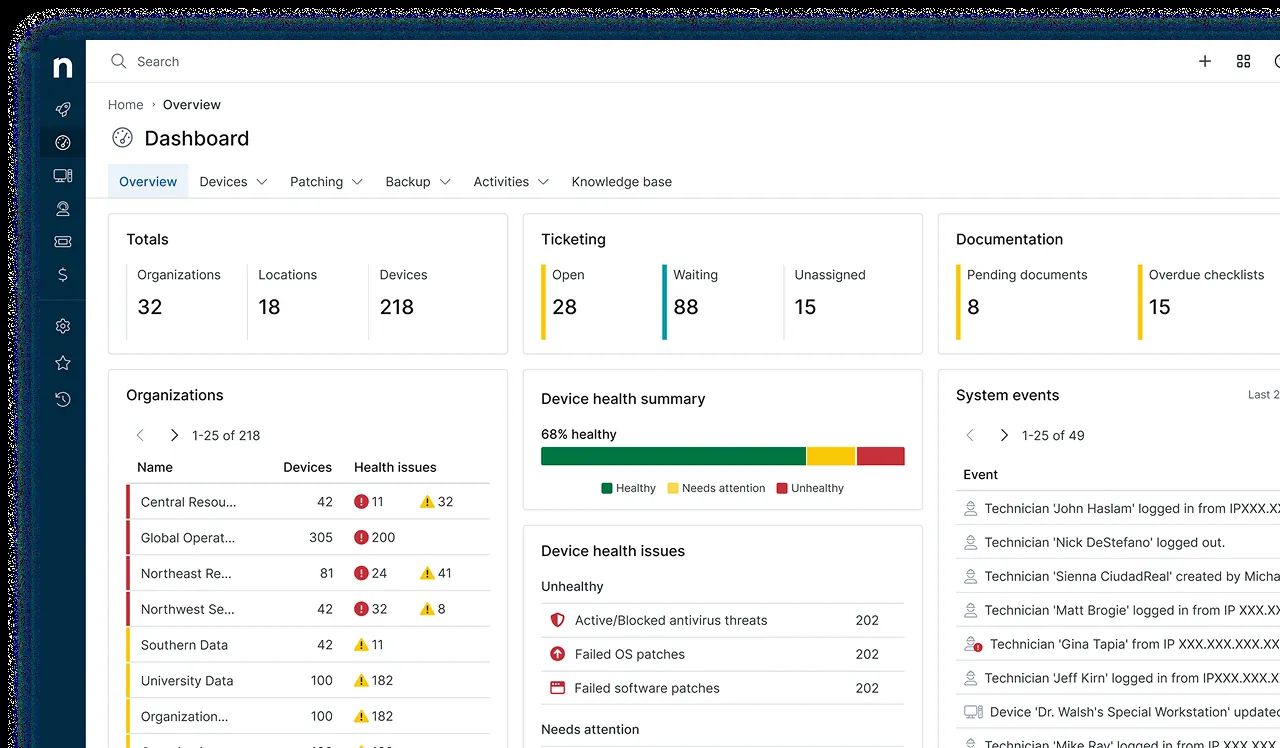
The moment most small MSPs start looking at NinjaOne is the week a new client signs with 120 laptops and nobody on the team wants to explain, again, why the old RMM’s patch report says “unknown” for a third of them. NinjaOne sells itself on the opposite experience: a console that loads fast, agents that check in reliably, and a patch view you can hand to a client without an apology. That promise is worth testing across a handful of client tenants of different sizes, since a three-person shop with 80 laptops looks very different from one with 800 once the bill is calculated per device.
What NinjaOne actually does
NinjaOne is a cloud-hosted RMM platform. You deploy a lightweight agent to Windows, macOS and Linux endpoints, group them under client “organizations”, and apply policies that decide monitoring conditions, patch behavior, scripts and alerting. On top of the core RMM sit several modules that have grown over the years: OS and third-party patch management, remote access, a documentation module, ticketing, endpoint backup, and mobile device management. Not every module is included by default, so the platform you evaluate depends on what the quote bundles.
For network gear it can poll SNMP devices through an agent acting as a probe, though it is not a dedicated network management tool in the way Auvik is.
Where it earns its keep
Policy inheritance that scales. Policies are defined once and assigned per organization or device role. When a client adds a second office, onboarding is mostly a matter of generating the agent package for that organization and letting the policy do the rest. Our client onboarding checklist assumes this kind of model.
Patch reporting a client can read. The patch dashboard shows approved, pending, failed and rejected updates by device and by organization, and scheduled reports can be sent to client contacts. For MSPs who bill a “managed patching” line item, being able to prove compliance each month matters more than any single feature.
Console speed and agent reliability. MSPs running NinjaOne commonly report that device actions such as running a PowerShell script or opening a remote session respond quickly, and that agents reconnect cleanly after reboots and network changes. During a trial, check both directly: script execution latency and whether agents recover on their own after a reboot or a network drop. That is not glamorous, but it is where technician hours disappear on weaker platforms.
Platform security controls. NinjaOne supports enforced MFA for technicians, granular technician roles that can restrict who sees which organizations and who can run scripts, and an activity log of technician actions. Given that an RMM is effectively a remote-execution channel into every client, these controls belong near the top of any evaluation; our guide to securing your RMM walks through how to set them up.
Where it falls short — and who should skip it
Per-device economics punish cheap endpoints. If the clients you support are dental offices with 25 workstations billed at a thin per-seat rate, a per-device RMM cost can eat into margin in a way a per-technician model like Atera does not. Run the numbers with our per-technician vs per-device worked examples before signing.
Quote-based pricing means no public price list. You have to talk to sales, minimum device commitments may apply, and terms differ by customer. That is normal for this segment but annoying if you want to compare costs on a Friday afternoon.
PSA depth. NinjaOne’s ticketing has matured, but MSPs that live on contracts, time entries, invoicing and accounting sync usually still pair it with a dedicated PSA. If you want RMM and billing in one product, look at Syncro.
Switching cost is real. Scripts, policies, custom fields and documentation built in NinjaOne do not export into another RMM’s format. Once a team has a year of automation in it, leaving is a project, not a weekend.
Skip it if you are a solo operator with a handful of small clients and no budget for a per-device line, or if you only need patching, where Action1 may be enough.
Who it suits
NinjaOne fits MSPs of roughly three to fifteen technicians with a mix of client sizes, and internal IT teams managing a few hundred to a couple thousand endpoints who value a consistent console over the lowest possible price. It works well where the service desk expects reliable patch reports and fast remote sessions, and where leadership is willing to pay per device for that consistency.
Licensing and cost
NinjaOne prices per managed device, and pricing is quote-based rather than published. The per-device rate typically depends on volume, the modules included and contract length. We are not going to quote a figure we cannot verify; ask for a written quote that lists per-device cost, any minimums, which modules are included, and the renewal terms. A trial is available through the vendor’s site, and it is worth using it on one real client organization rather than a lab of three VMs.
How it compares
- Against Atera, the core trade-off is pricing model: per device versus per technician. See NinjaOne vs Atera.
- Against Action1, NinjaOne is a full RMM while Action1 focuses on patching; see Action1 vs NinjaOne.
- For network visibility alongside it, many MSPs add Auvik; for asset inventory before onboarding, Lansweeper.
- Our category overview for RMM software and the methodology explain how we score these.
Getting it safely
Start the trial from the vendor’s own site, never from a link in an unsolicited email. The agent package you deploy to clients is generated inside your own NinjaOne tenant for each organization; distribute it through your usual tooling (GPO, Intune or a signed deployment script) and check the file’s digital signature before rollout. Our where to get page covers signature and hash checks for agent packages in more detail.
FAQ
Does NinjaOne publish its prices?
No. Pricing is per device and quote-based, so the figure depends on your device count, modules and contract term. Ask for a written quote and check the vendor’s current pricing page for any published guidance.
Does NinjaOne include a PSA?
It includes ticketing and continues to add service desk features, but MSPs with complex contracts and invoicing often still integrate a dedicated PSA. Check which billing features are included in the quote.
Can technicians be limited to certain clients?
Yes. Technician roles can restrict access to specific organizations and actions, which is how you keep a junior tech away from a sensitive client or from running scripts fleet-wide.
Is NinjaOne a good choice for a one-person MSP?
It can work, but the per-device cost and any minimum commitment weigh more heavily on a very small book of business. Compare it against per-technician options first.